Split fulfillment when updating tracking information
You can split the fulfillment when you update tracking numbers.
-
You need to turn ON “Route by template” (Settings → “Routing rules”). When it is ON, “Split fulfillment of shipments” appears in the apply options of the “Update tracking” tab.
-
In the apply options of the “Update tracking” tab, turn ON “Split fulfillment of shipments”.
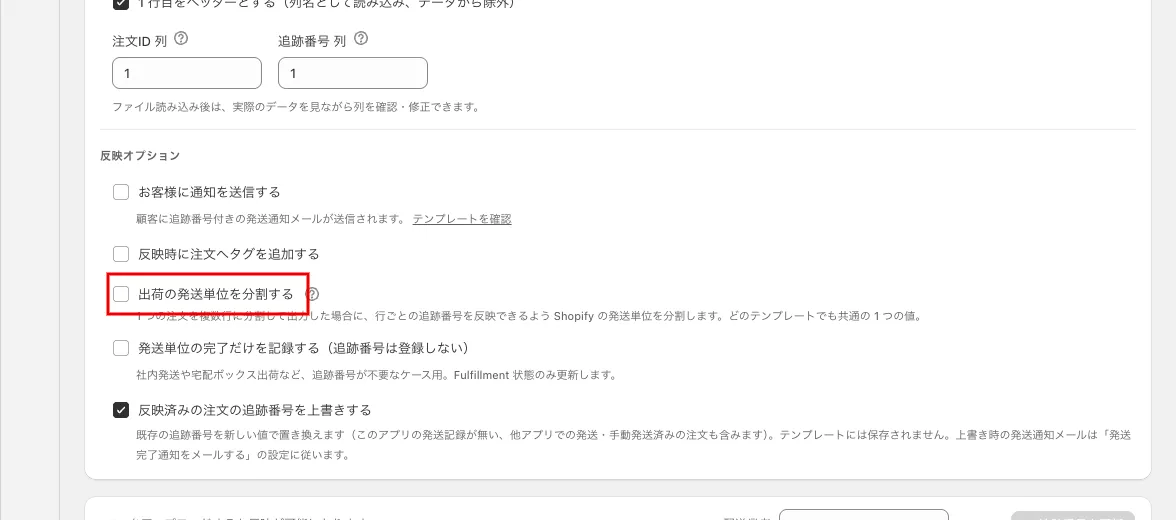 “Split fulfillment of shipments” in the apply options
-
Output the CSV.
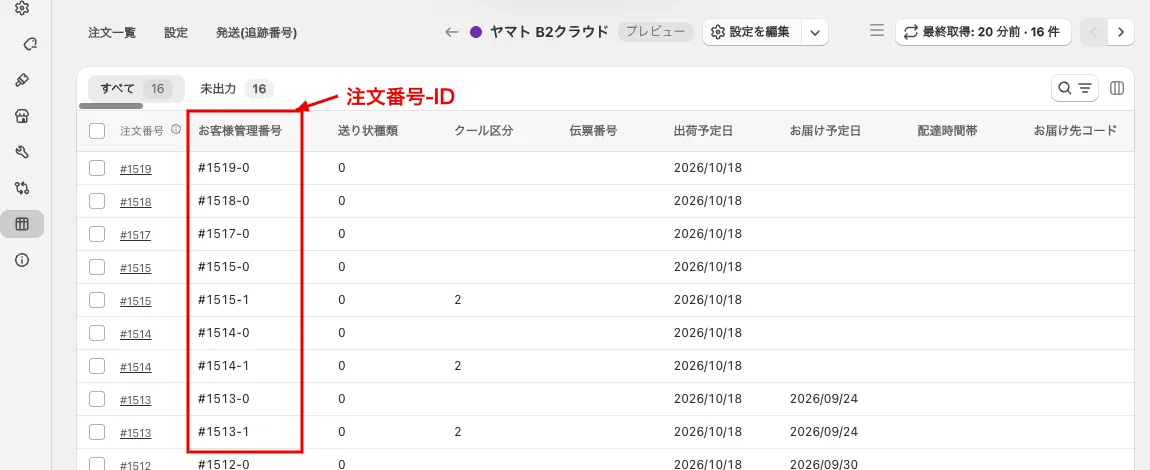 Preview of the template. The “Order Number-ID” (in the form #1513-0) is output in the first column, “お客様管理番号” (customer management number)
- In the “Update tracking” tab, upload the output CSV and press “Update tracking numbers (n)“. The confirmation modal shows the “Products” of each fulfillment.
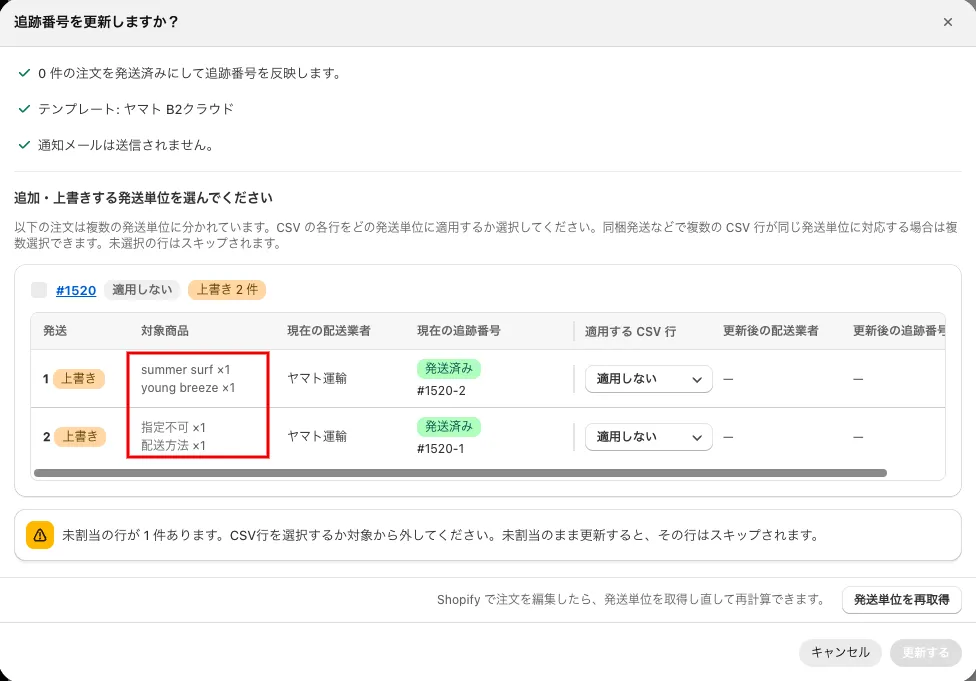 The confirmation modal “Update tracking numbers?” (the “Products” of each fulfillment. The image is an example of overwriting the tracking number of a shipped order)
 The split order details