Separate CSV Output Rows by Product
When the shipping slips differ depending on the product, you can split the output rows by conditions.
Example) The same order includes room-temperature products and frozen products, and the shipping slips are different. Example) The order was placed together with a pre-order item, so the shipping time differs (you don’t want to reflect the desired delivery date).
↓Separate the output rows of the order within the Yamato Transport template.
- In the template’s edit screen, under “Split settings for this template”, choose “Put specific products on their own shipping row”.
- In “① Target products” of the rule, set the product tag 冷凍食品 (frozen food).
- In “② What happens to this row”, use “Override a column value” to set the cool category to 2.
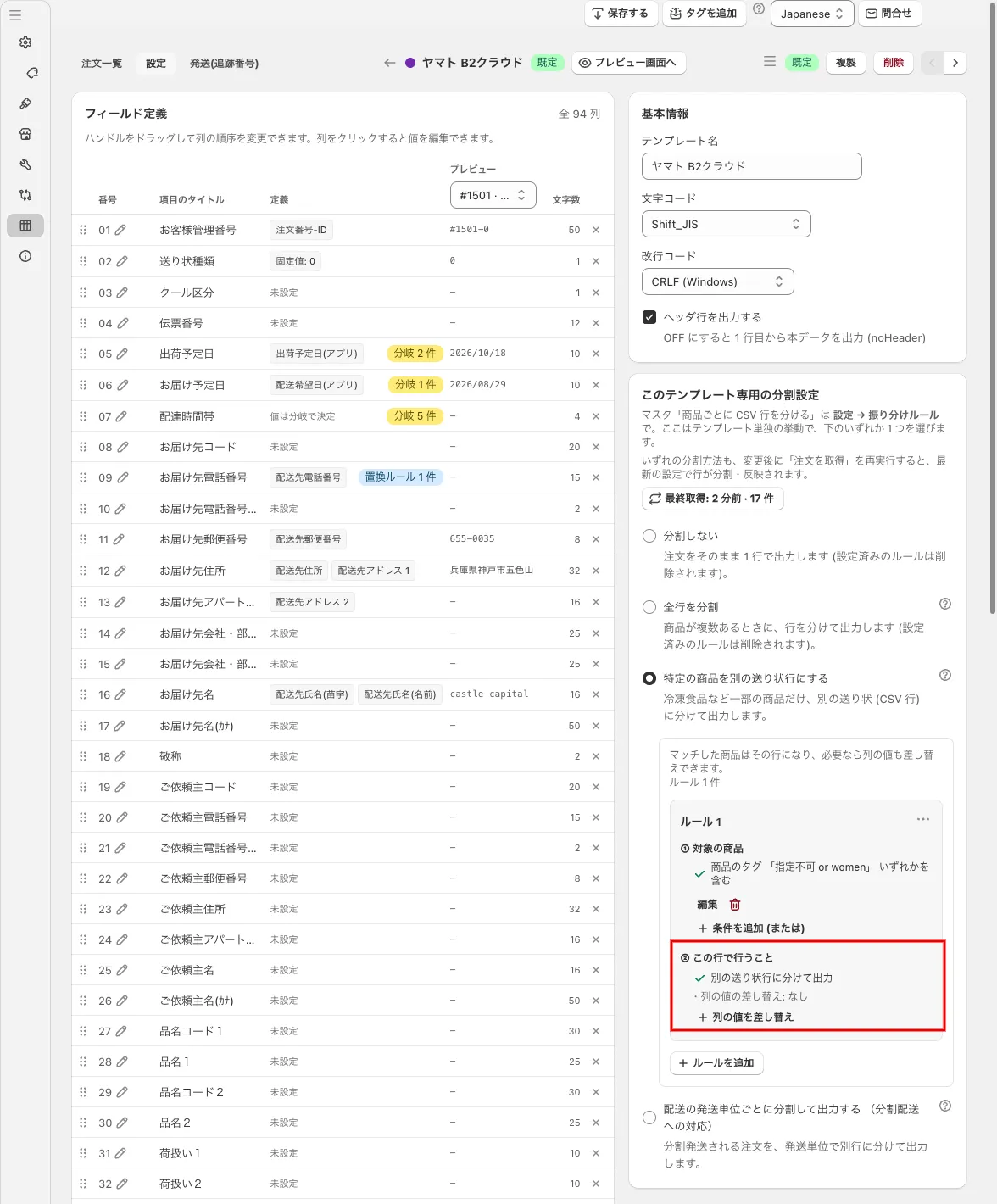 In the template’s edit screen, choose “Put specific products on their own shipping row” and add a rule (in the image’s example, “① Target products” is the product tag “指定不可 or women”. “② What happens to this row” shows “Output as a separate shipping row” and “Override a column value”)
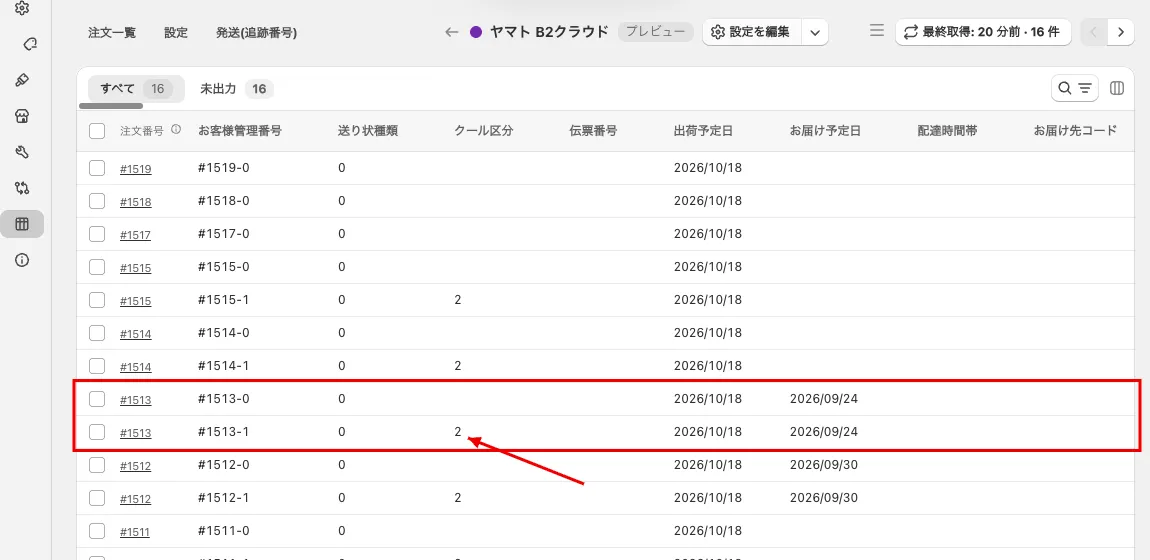 Preview of Yamato Transport. #1513 is split, and the cool category of the split row (-1) is 2