- How to set
- FAQ
- Does it support dynamic checkout?
- Can I display the delivery date and time widget anywhere?
- Can I place it on the product page?
- The delivery date and time entered in the cart is not reflected.
- Layout is broken
- Can it be displayed on the checkout screen?
- Orders may be placed with a delivery date earlier than the earliest possible date.
- How are you affected by PHP vulnerabilities?
- Normal Plan
- Change Text label
- Display Delivery method
- Minimum Delivery Date (business day + calendar day)
- Setting Maximum Day
- Holiday
- Blockout Date | Specified Dates
- Adjustment of the Minimum Delivery Date based on options (delivery area, etc.)
- Calendar Settings (Format, etc.)
- Advanced delivery time
- Required field for Delivery Date & Time
- Display Google map in notes field
- Display the earliest delivery date on the product page
- Hide delivery date and time widget for each product
- Hiding priority settings for each product
- Input Text
- Products Group
- Products Group (settings by Product Tag)
- Grouping by product (condition selection settings)
- Grouping by Products (Complex Delivery Date Settings)
- Reflect Group Settings on Product Page
- Add delivery date and time tags to orders
- Validation on the Checkout Screen
- Pro Plan
- Integration Format
- Order List (output CSV)
- CSV Order Export: Basics (Supported Carriers, Import Range, Export Steps)
- CSV Export: Output Value Settings (Default Value, Conditional Branches, Conversion, Code)
- FAQ (CSV Output)
- Setting the output value (character conversion, determination from order details)
- Initial Settings of Each Carrier
- Character conversion of output value (regular expression)
- Setting the output value (character conversion, determination from order details)
- Set the Output by Writing Code
- Output the Line Item Property of Each Product
- Output Settings for Order Metafields
- Select the Template to Output from the Order Details
- Split Templates by Product
- Split Output Rows by Product
- Separate CSV Output Rows by Product
- Split Output Rows for Each Fulfillment and Update Tracking Numbers
- Update multiple tracking numbers for one order (fulfillment)
- Split fulfillment when updating tracking information
- Customize shipping methods at checkout
Articles
Display the earliest delivery date on the product page
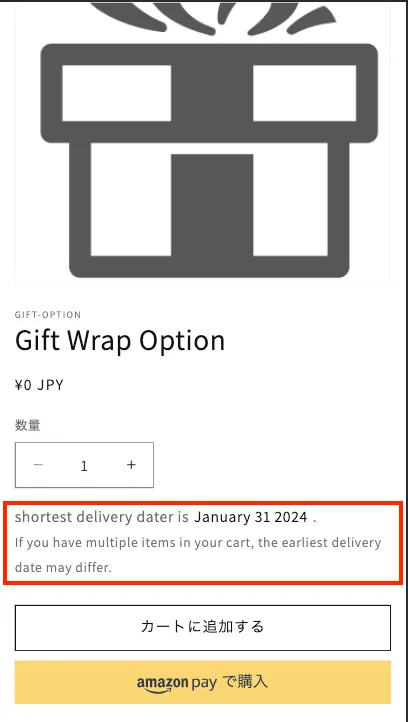
You can display the earliest delivery date on the product page.
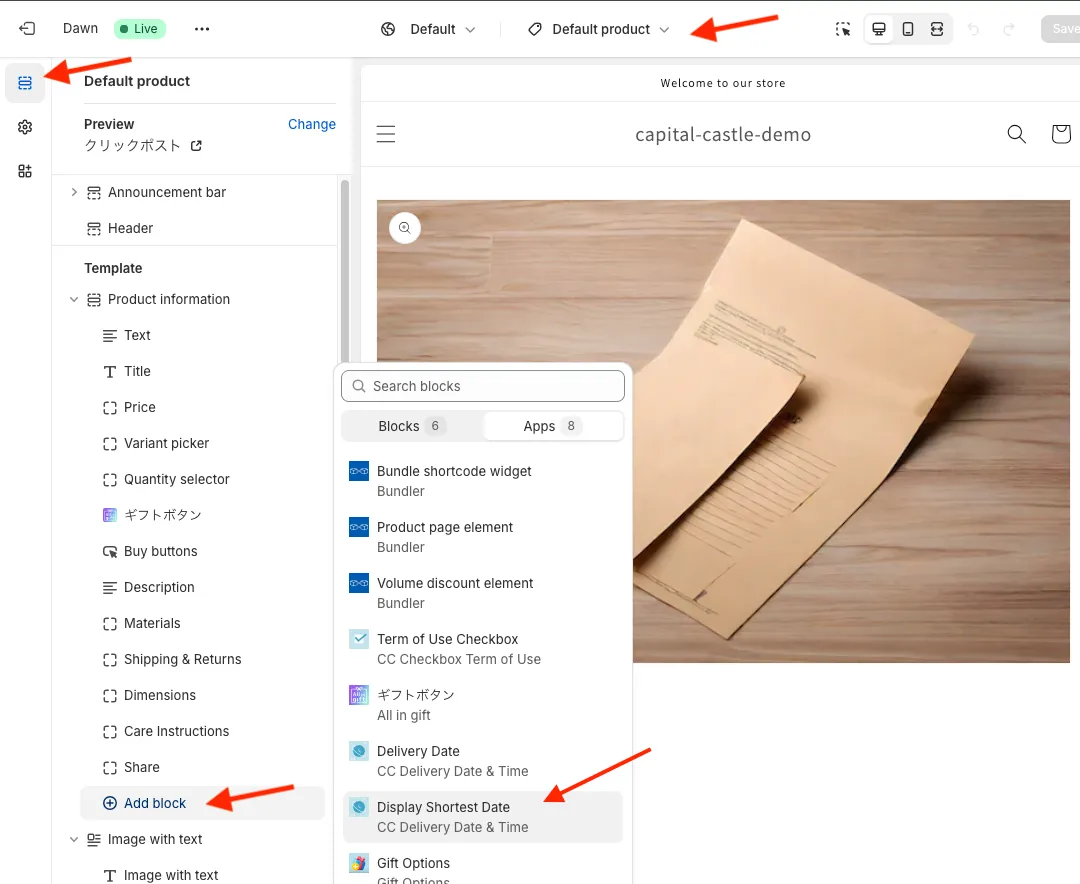
Please add the “Display Shortest Dates” block from Online Store => Theme => Customize.
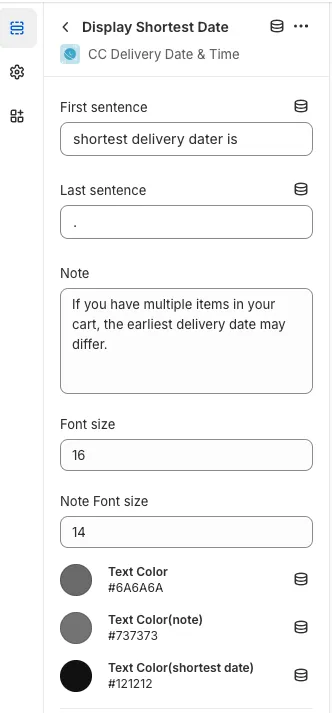
Text content, size, and color can be changed freely.