Character conversion of output value (regular expression)
Regular expressions can be used for character conversion of output values.
For the string before conversion (from, red frame) of a replacement rule, you can check “Use regex” and specify it with a regular expression.
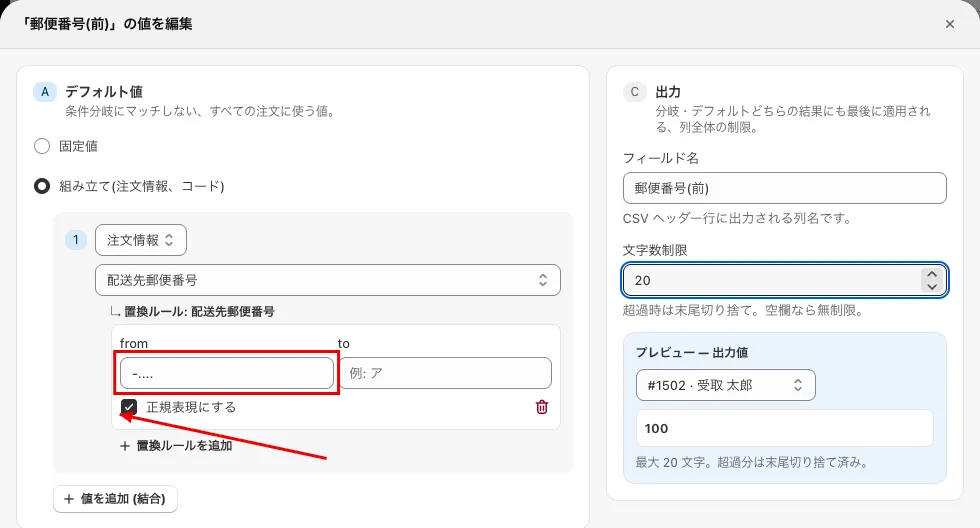 If you want to display only the front of the postal code
Please refer to the following for regular expressions.
Contents of inquiries so far
-
If you want to split the postal code: (999-0000 => 999 and 0000)
-
Regular expression: -…
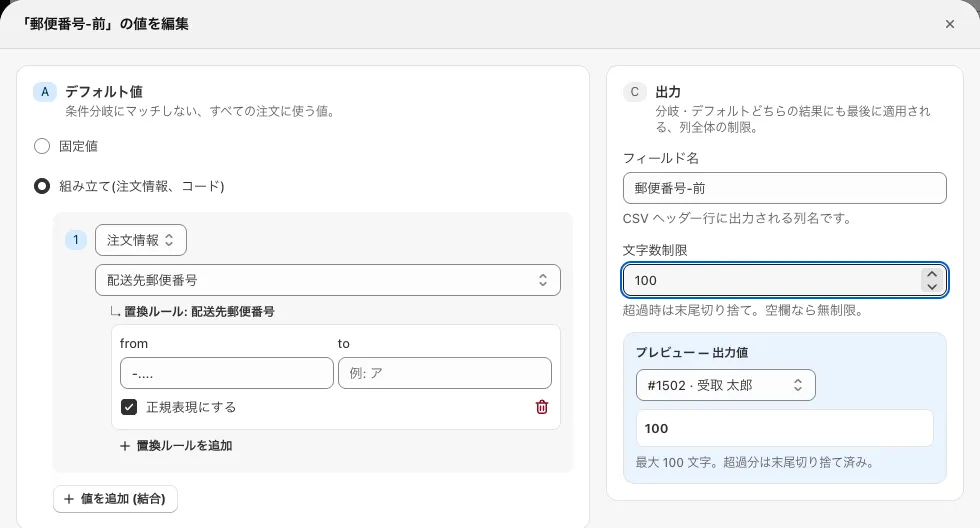 First 3 digits of the postal code
-
Regular expression: …-
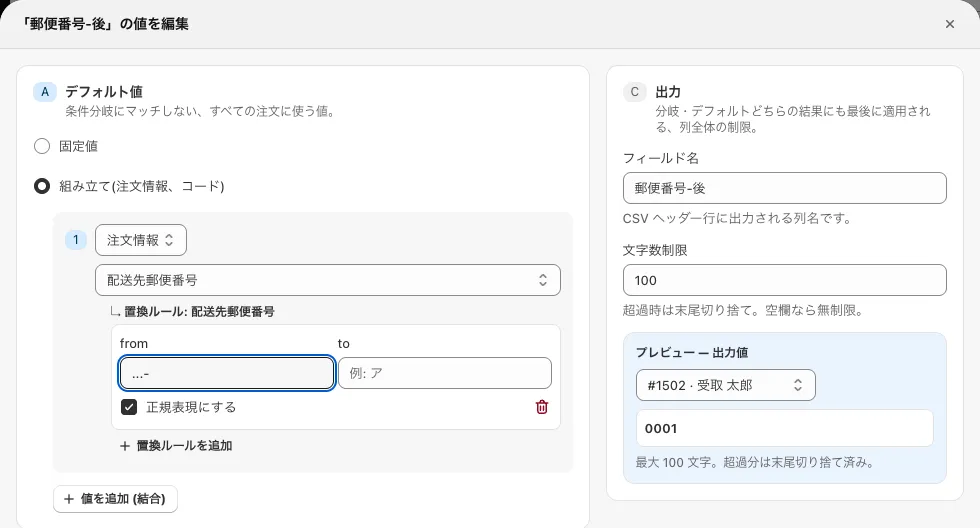 Last 4 digits of the postal code
-
-
If you want to split the phone number: (000-1111-2222 => 000, 1111 and 2222)
Insert the country code and ”-” deletion process in advance.- Regular expression: …$
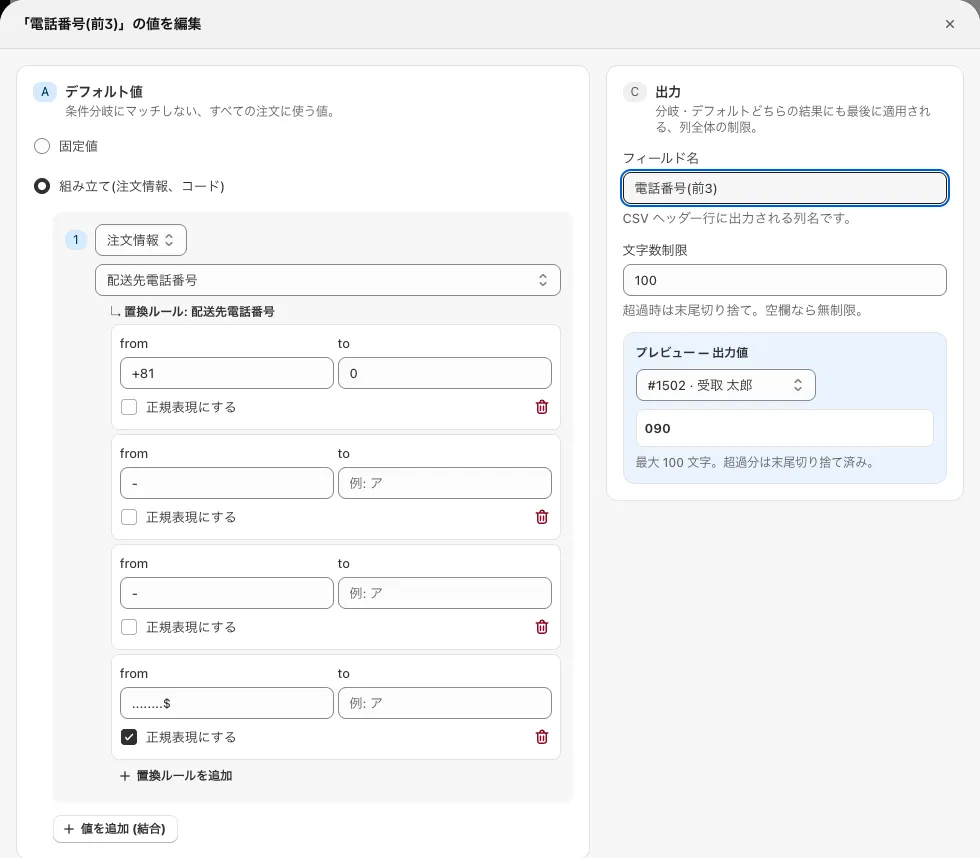 First 3 digits of the phone number
- Regular expressions: ^… and …$
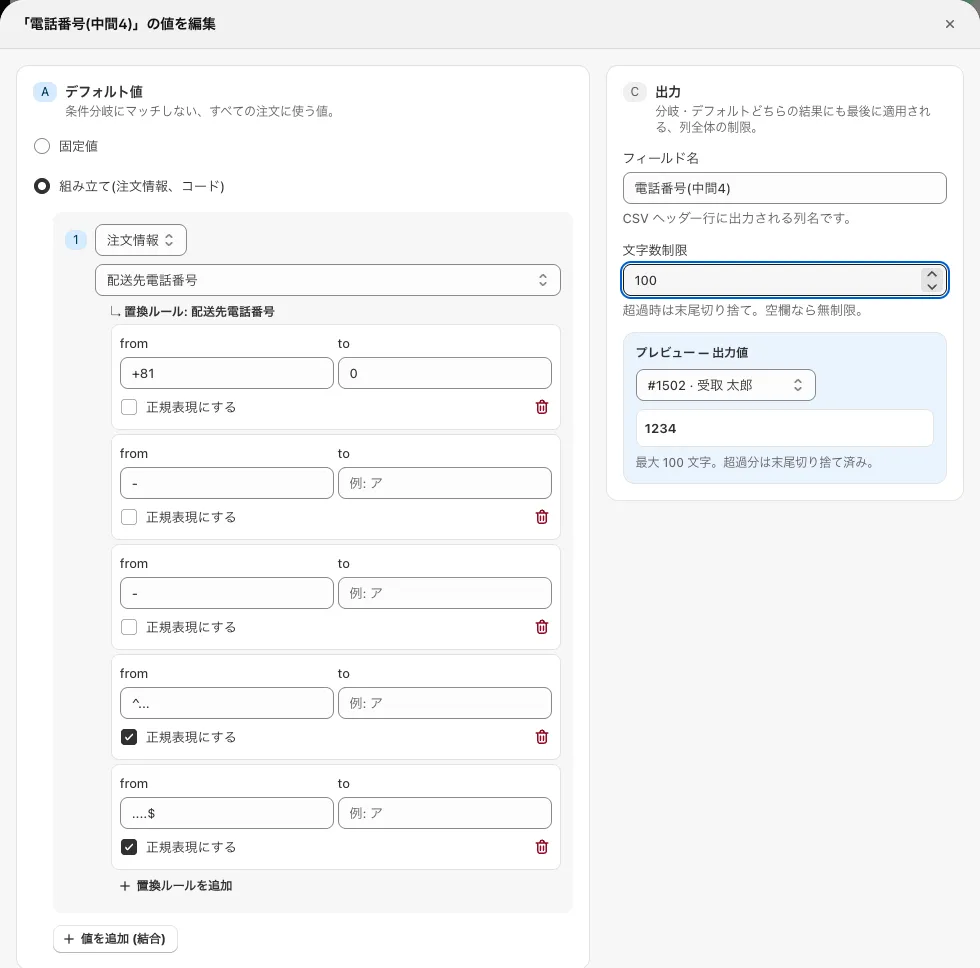 Middle 4 digits of the phone number
- Regular expression: ^…
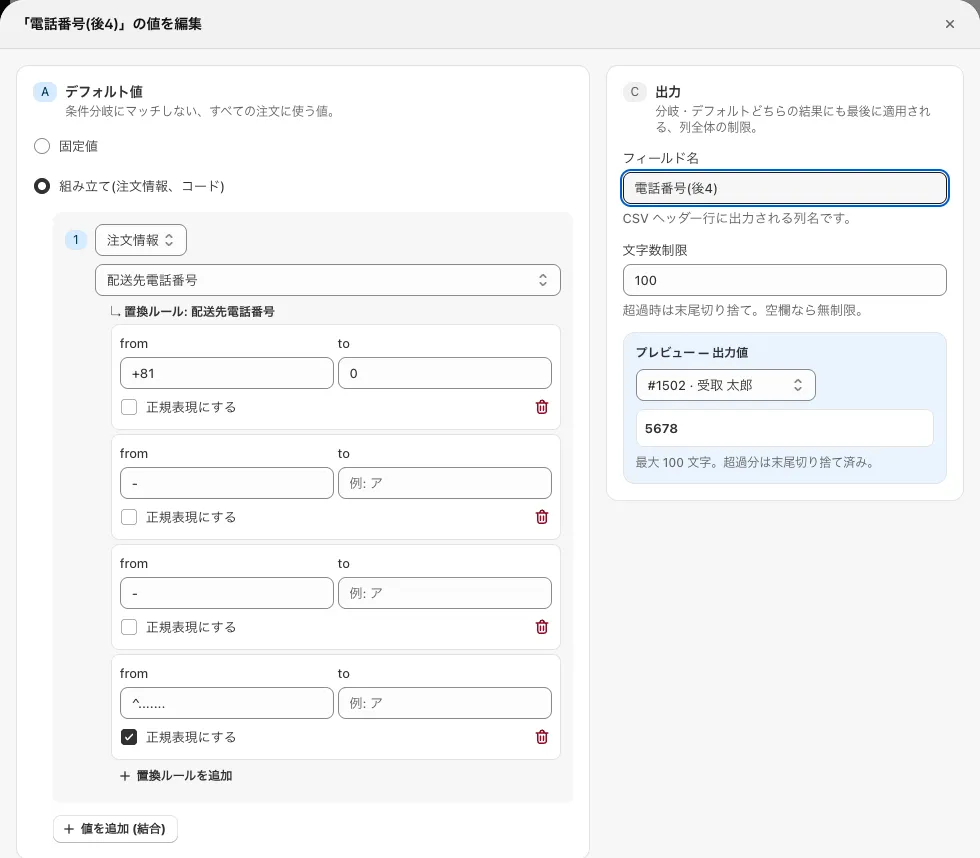 Last 4 digits of the phone number
- Regular expression: …$
-
If you want to split the billing (or shipping) address into “prefecture” and “city”
-
3-1 Prefecture
Set all the prefectures in “Branches — exceptions” (add a branch per prefecture, such as: IF the billing address contains “北海道” → value “北海道”).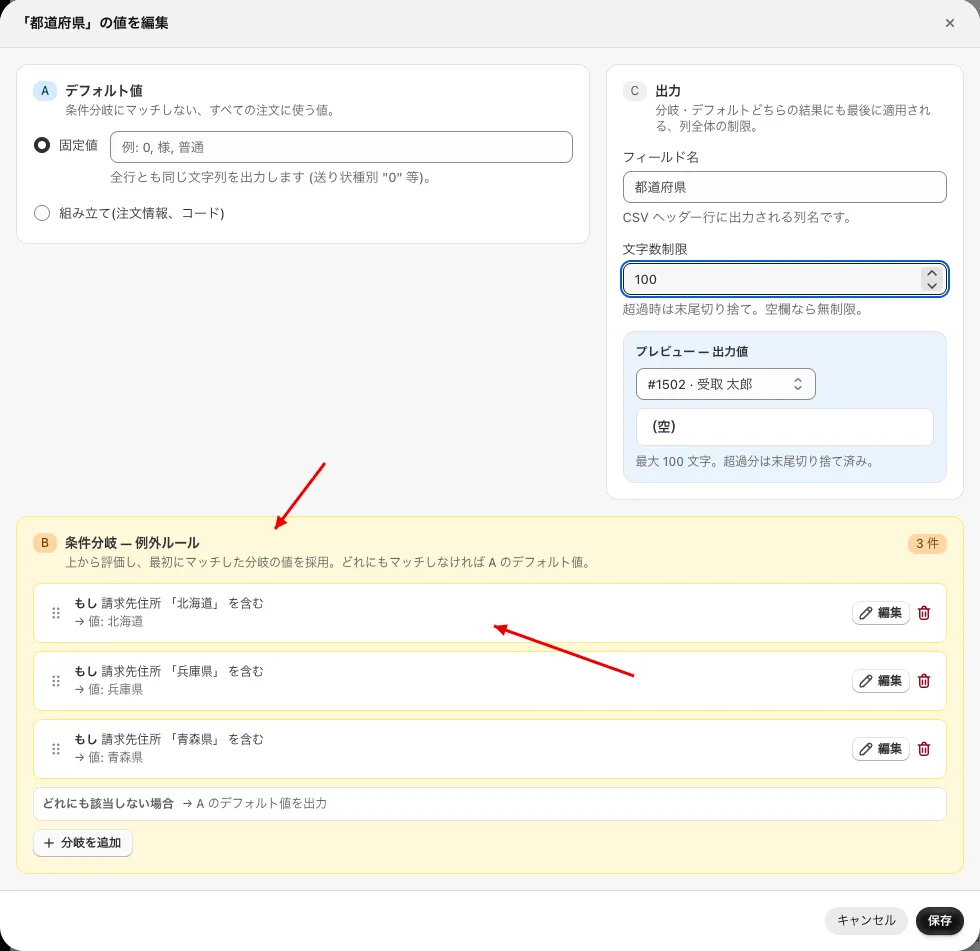 Setting the prefectures
-
3-2 City
Delete the “prefecture” with a replacement rule (leave “to” empty).- Delete “日本:“.
- Regular expression: ^(.{2}[都道府県]|.{3}県)
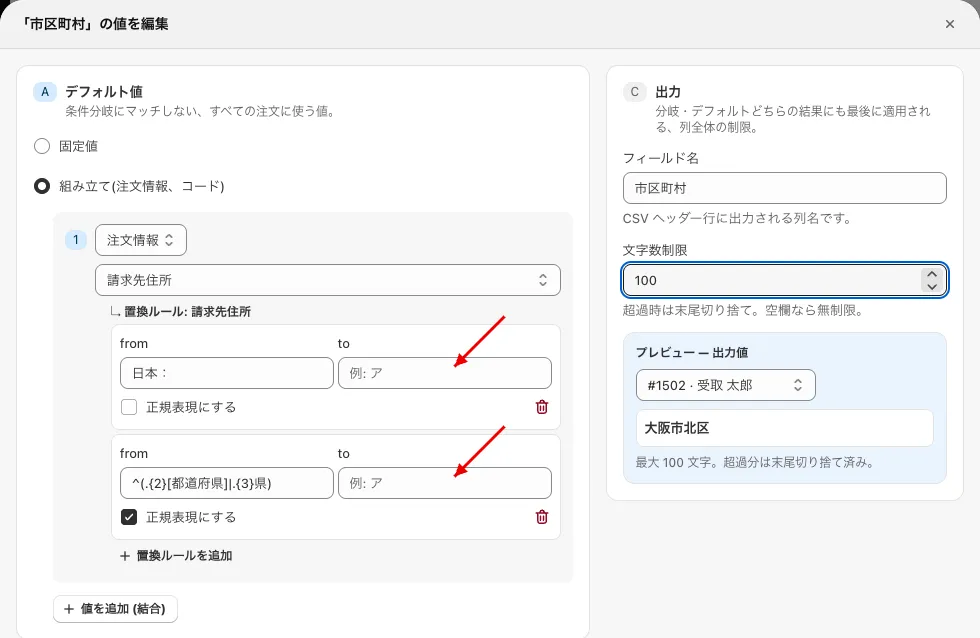 Replacement rules (character replacement)