Replacing Shopify Flow (Updating to the Latest Version)

issue date: 2026-10-20

The Shopify Flow for "CC Order Rules" has been updated.
If you have set up the Flow before, please delete all old workflows and replace them with the latest one.

What's new

  • For products selected as a whole (product-level), purchase quantities across multiple variants are combined when checking period and quantity limits.
  • Pre-orders for product-level selections now also get the order tag and the customer metafield.
  • The two Flows that used to be separate are now combined into one.

Latest Flow file

Shopify app [CC Order Rules] Order Created Triggers_Revision1.flow

Download this file and import it.

Flows to delete

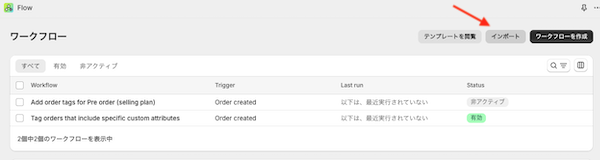
Open the workflow list in Shopify Flow. If you find any of the following (or workflows with the same names), delete all of them.

When it was set up Flow file name
First version (two files) Add order tags for Pre order (selling plan).flow
Add order tags for Pre order (selling plan)-Revision 1.flow
Add products order history and tags revision-1.flow
Add products order history and tags revision-2.flow
Second version (combined into one) Shopify app [CC Order Rules] Order Created Triggers_Revision0.flow
Latest (keep only this one) Shopify app [CC Order Rules] Order Created Triggers_Revision1.flow
  • You may have renamed the workflows after importing. Check the workflows whose trigger is "Order created" and that are related to "CC Order Rules".
  • The Flow for the "payment and shipping schedule reminder email" is a separate file. Do not delete it. (Reminder email)

Steps

  1. Open Shopify Flow.
  2. Open each old workflow in the table above, turn it off, and delete it. Do not leave any old one behind.
  3. Download the latest Flow file and import it into Shopify Flow.
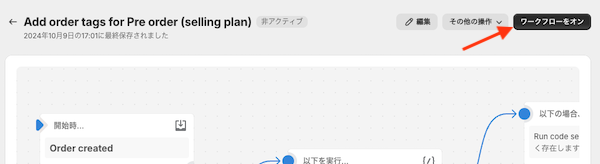
  4. Turn on the imported workflow.

  5. Make sure there is only one workflow left.

Timing

  • Orders placed between deleting the old Flows and turning on the new one are not processed by Flow. Do the deletion and the activation in one go.
  • The latest Flow works for orders placed after you turn it on.
  • Existing purchase history is stored in the customer metafield, so it is not lost when you replace the Flow.

Checking after the replacement

  1. Place a test order (with a customer attached; orders without a customer are not recorded in the purchase history).
  2. Open the "Run history" in Shopify Flow and confirm the latest run is "Completed".
  3. Confirm the following were applied:
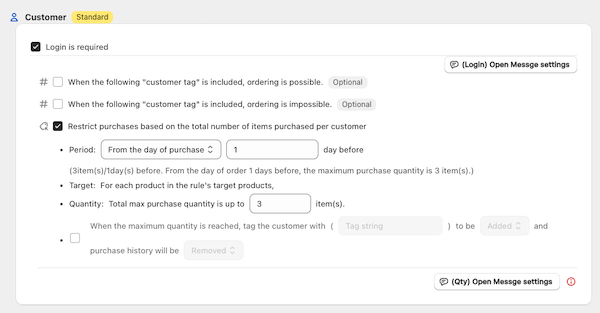
    • Customer quantity limits: the customer metafield (purchase history) and the limit-reached tag
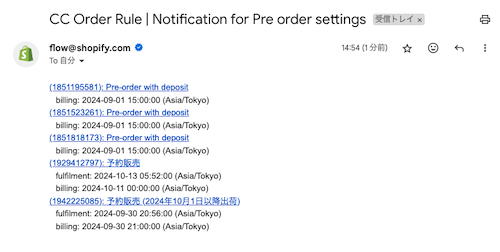
    • Pre-orders: the "preorder-xxxxxx" order tag and the customer metafield

Need help?

  • If you cannot tell which Flows are the old ones, are unsure whether it is safe to delete them, or tags are not applied after the replacement, please do not proceed and contact support.
  • Support: [email protected]
  • A screenshot of your workflow list helps us check faster.
How to set
Order Limits
Pre-order
Find by what you want to do
FAQ
cc-logo
Shopify Apps that developed by Capital Castle